
APL Assistant
What you will learn
Query sourced data and prepare actions while keeping control.
Worked example
Ask which sheet stock exists, in what unit and which orders reserve it. Reconcile balances and follow record sources.
From data to result
- 1Query
- 2Proposal
- 3Confirmation
- 4Result
The assistant replies in the session language using authorised data from the active company and these articles. It can query and relate information, open pages and, depending on licence and permissions, prepare actions or simulations. Actions require confirmation and planning always follows deterministic APS rules. Never enter secrets or credentials in chat.
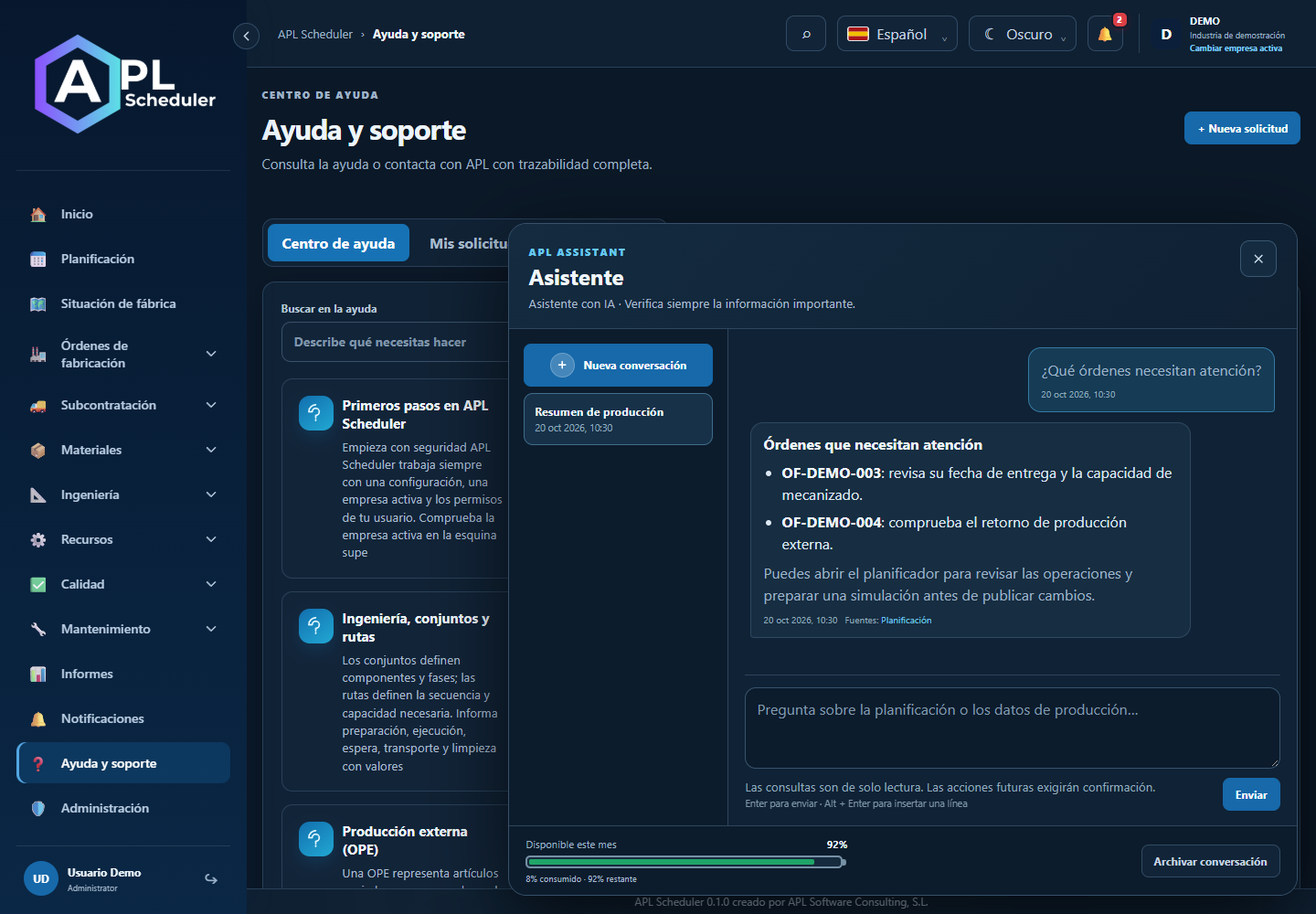
- 1Open the assistant at bottom right and choose or create a conversation. Ask naturally and specify order, article, resource or period when relevant; replies use the app language.
- 2Try questions about at-risk orders, stock reservation traceability or current machine activity. Review sources and figures before decisions.
- 3Depending on licence and permission, it can navigate, prepare actions or propose scenarios. Requesting a simulation does not publish it: review the planner and confirm only your chosen proposal.
- 4Integrator and engine rules still apply. Available percentage is remaining usage budget, not a message count. Enter sends; Alt + Enter adds a line. Never share passwords or keys.
Visual walkthrough
 Download video
- 0:00 · Open the assistant at bottom right.
- 0:06 · Write a question specifying article, unit and reservations.
- 0:12 · Review before Send. Nothing is sent and no AI budget is used here.
Before you finish
The answer uses the active company, declares filters or limits and reconciles figures with consulted sources.
Common questions
An option is missing or I cannot edit
Check active company, licence, permissions and integration-managed fields. Do not use a direct URL to bypass restrictions.
I cannot find records
Clear filters and check page, dates and company. There may be no accessible data; do not create duplicates to test.
I saved but cannot see the expected effect
Reopen the record and verify. Saving data does not publish a required simulation. Check whether the first write succeeded before repeating it.