
Production orders
What you will learn
Follow an order through definition, materials, operations and progress.
Worked example
For 50 assemblies, select the manufacturing set, check quantity and due date and review generated materials and phases.
From data to result
- 1Manufacturing set
- 2Order
- 3Simulation
- 4Publication
The record combines header, materials and operations. Check quantity, required date, status and progress before planning. Operation times are per unit where applicable, and the engine calculates effective duration using quantity, setup, cleanup, capacity and efficiency. With Integrator, only fields actually mapped to an external source are protected.
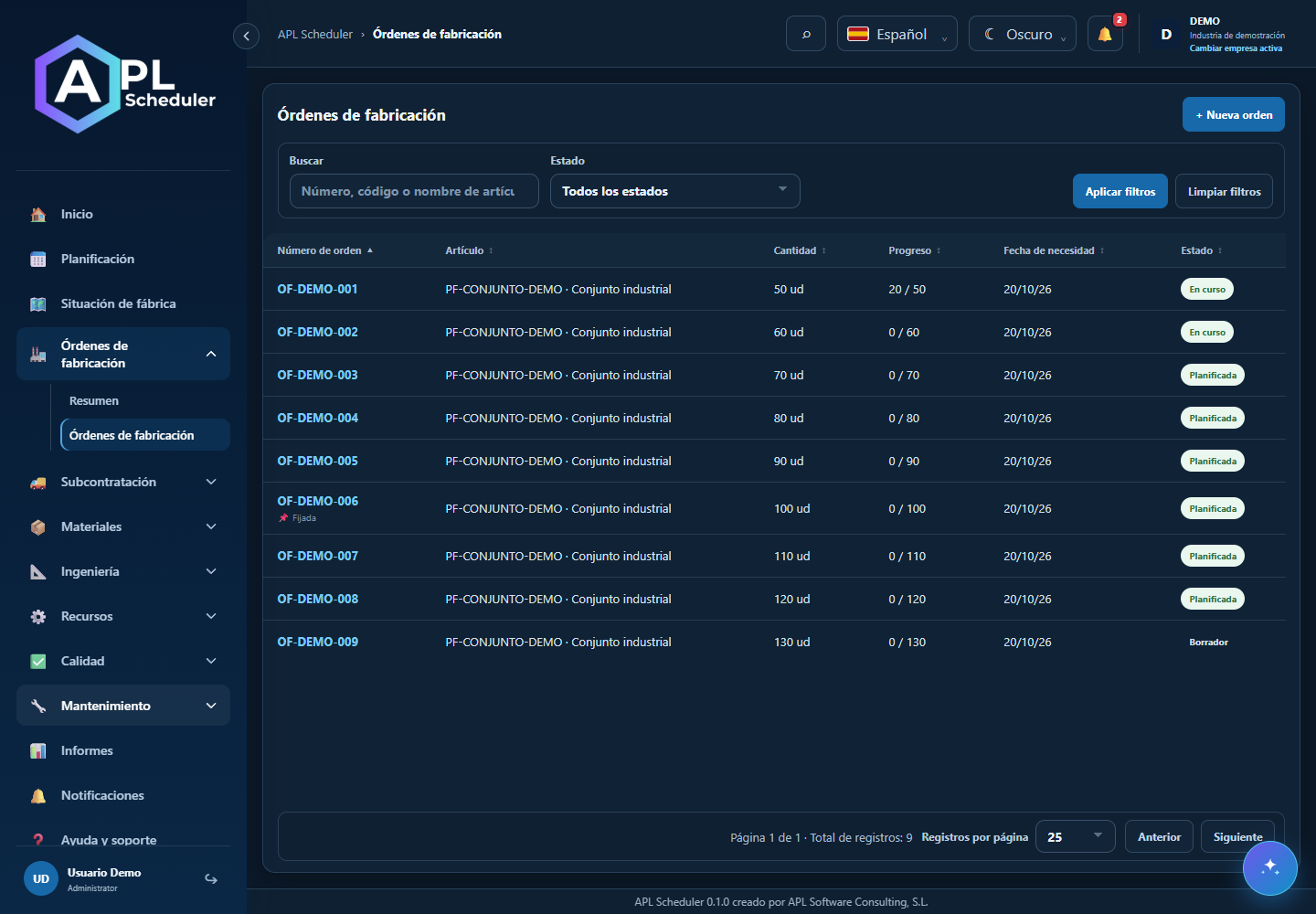
- 1Open the order list and filter by code or status. Enter through the order number and check article, quantity, required date, status and progress.
- 2Materials shows requirements, assigned and consumed quantities. Operations shows sequence, capacities and dates. A required date does not guarantee available capacity.
- 3Create or edit only with permission and when integration does not govern the data. Save from the header. Change already planned phases through the planning simulation.
- 4Cancelling an edit is not Cancel order, which is a business action. Review consequences and any proposed simulation before confirming.
Visual walkthrough
 Download video
- 0:00 · Find the order number and open its record.
- 0:06 · Check quantity, dates and required materials.
- 0:12 · Open Operations to see phases and resources. No edits or saves.
Before you finish
The record shows the expected article, units, phases and requirements. Then check its inclusion or issues in simulation.
Common questions
An option is missing or I cannot edit
Check active company, licence, permissions and integration-managed fields. Do not use a direct URL to bypass restrictions.
I cannot find records
Clear filters and check page, dates and company. There may be no accessible data; do not create duplicates to test.
I saved but cannot see the expected effect
Reopen the record and verify. Saving data does not publish a required simulation. Check whether the first write succeeded before repeating it.