
Materials, stock and reservations
What you will learn
Interpret availability and trace the demand committing material.
Worked example
With 100 kg on hand and 25 kg firmly reserved, available stock is 75 kg. Tomorrow’s receipt is not today’s physical stock.
From data to result
- 1On hand
- 2Firm reservation
- 3Available
- 4Coverage
Open an item to see stock by warehouse, location, lot or serial number. Available means on-hand stock minus firm reservations; provisional reservations support simulation without reducing the real balance. Order requirements remain traceable through material lines and reservations. With external inventory, completed consumption remains pending synchronisation so committed stock is not reused.
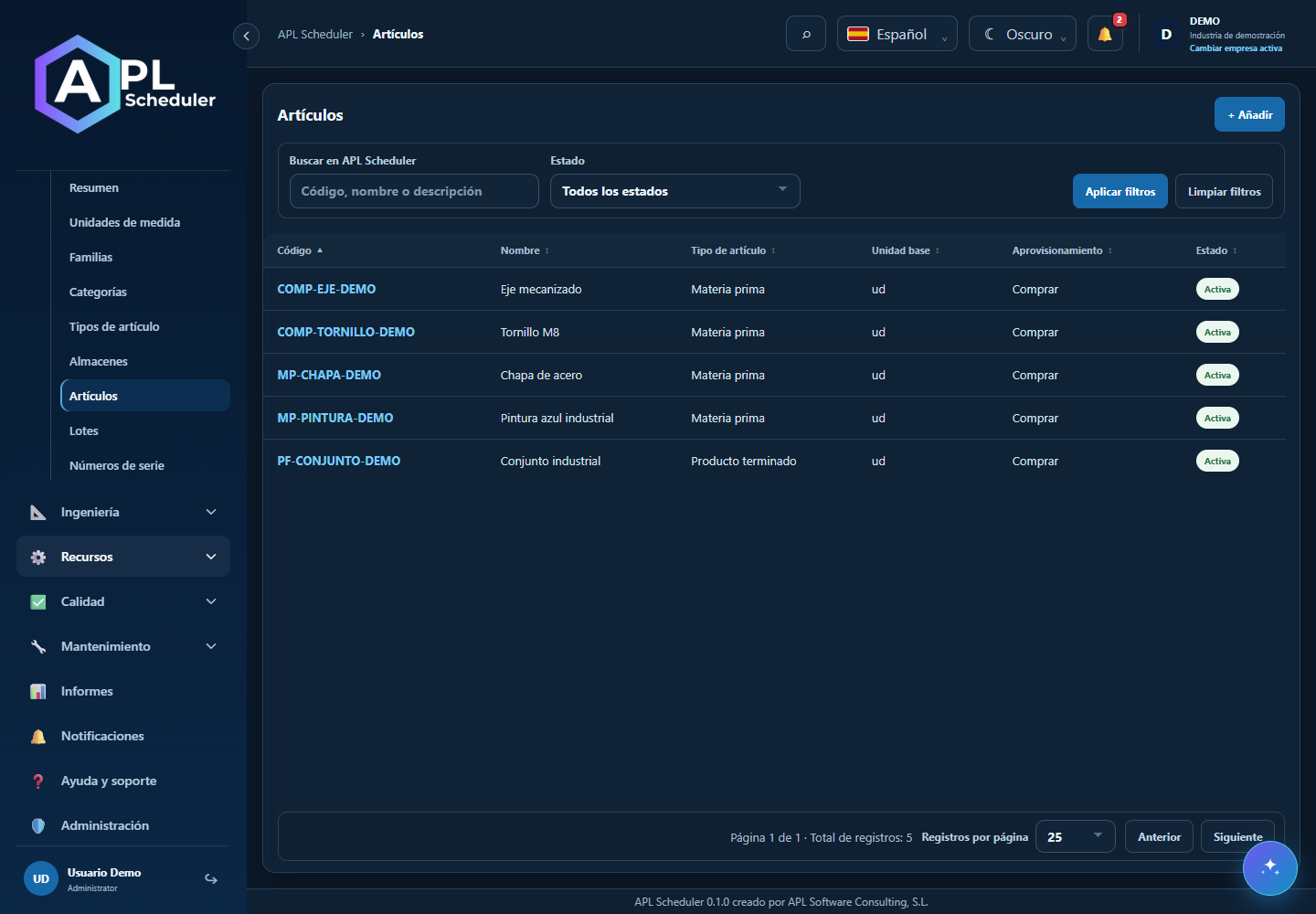
- 1Open Materials to review articles, units, families, categories and warehouses. Open an article and View stock for warehouse, lot or serial balances.
- 2Distinguish physical, reserved and available quantities. Provisional reservations are not always firm. Check incoming supplies and order requirements; future receipts are not physical stock today.
- 3Check whether Integrator owns the data before editing. Pending external consumption prevents already used material being reused until stock synchronises; do not compensate with invented stock.
- 4For shortages, identify article, required quantity and reported availability. Check allocations, units and receipt dates before simulating again.
Visual walkthrough
 Download video
- 0:00 · Find MP-CHAPA-DEMO in the article list.
- 0:06 · Open its record and scroll to Warehouses.
- 0:12 · Compare on hand, reserved and available: 100 − 25 = 75.
Before you finish
Compare unit, warehouse, location and lot/serial; reconcile reservations, movements, expected receipts and order requirements.
Common questions
An option is missing or I cannot edit
Check active company, licence, permissions and integration-managed fields. Do not use a direct URL to bypass restrictions.
I cannot find records
Clear filters and check page, dates and company. There may be no accessible data; do not create duplicates to test.
I saved but cannot see the expected effect
Reopen the record and verify. Saving data does not publish a required simulation. Check whether the first write succeeded before repeating it.