
Quality in production
What you will learn
Link quality controls and results to affected production.
Worked example
Define a dimensional characteristic, add it to a plan, record an inspection and document nonconformity and disposition if it fails.
From data to result
- 1Characteristic
- 2Control plan
- 3Inspection
- 4Nonconformity
Record inspections, results, non-conformities and actions with traceability to the order, operation, item or resource. A non-conformity that blocks planning prevents scheduling until resolved or unblocked. Enter only real measurements; dashboard indicators use existing records and show a dash when evidence is insufficient.
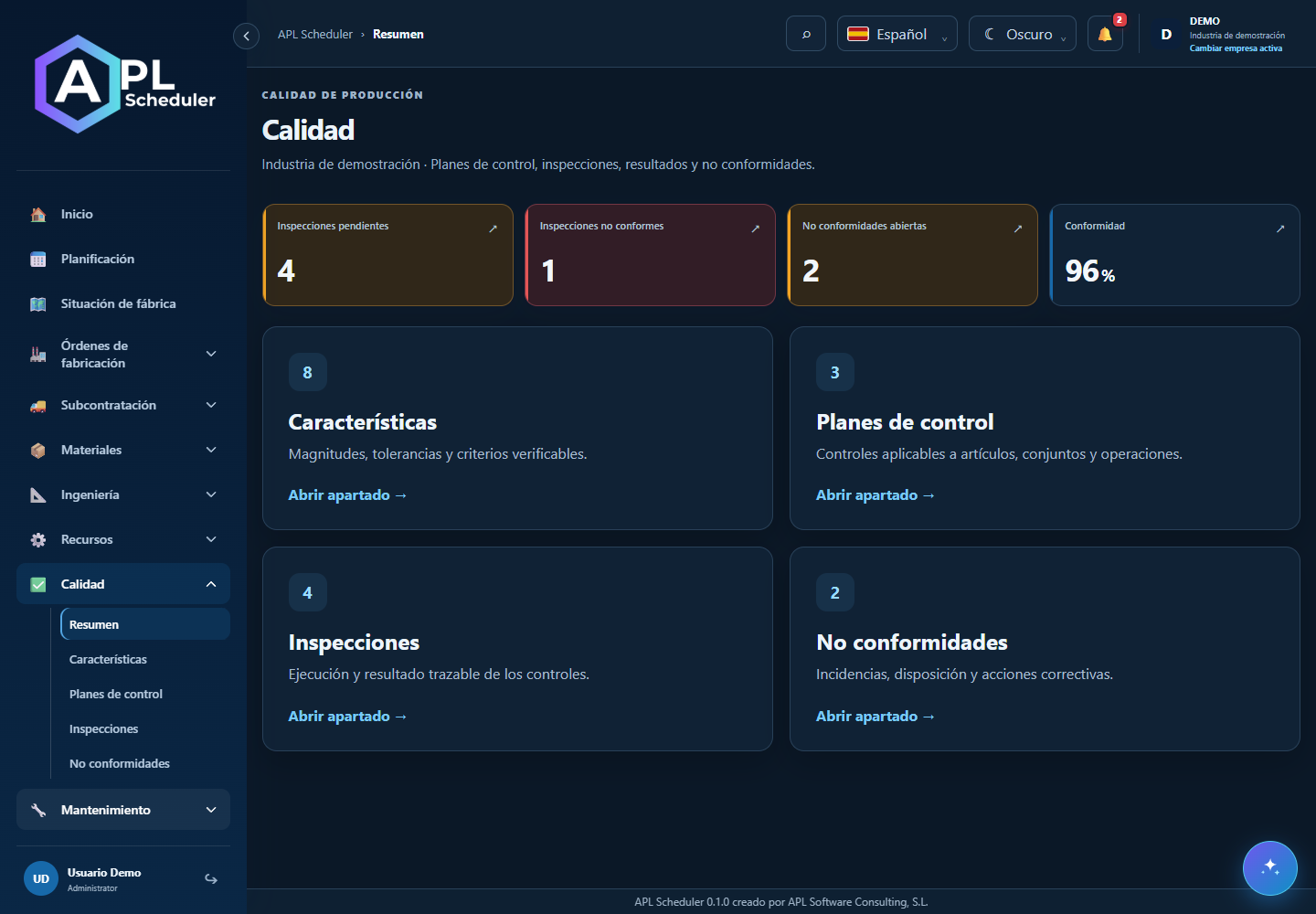
- 1Use Quality overview to find pending inspections, failures and non-conformities. Filter the relevant list before opening a record.
- 2Define available control plans and characteristics, link inspections to production and record results with units and criteria. Check quantities and order/operation traceability.
- 3A non-conformity configured to block planning can prevent an order being scheduled. Check its impact before enabling or lifting the block and review the offered simulation.
- 4Keep findings and follow-up when resolving a case. An empty list is not necessarily an error; check filters, company and permissions.
Visual walkthrough
 Download video
- 0:00 · Open Characteristics under Quality.
- 0:06 · Select DIAMETRO-DEMO.
- 0:12 · Read nominal value and tolerance. No measurement is recorded in this demo.
Before you finish
The inspection links article/order/phase and records measurement, unit and criterion. Check severity, cause, action and nonconformity status.
Common questions
An option is missing or I cannot edit
Check active company, licence, permissions and integration-managed fields. Do not use a direct URL to bypass restrictions.
I cannot find records
Clear filters and check page, dates and company. There may be no accessible data; do not create duplicates to test.
I saved but cannot see the expected effect
Reopen the record and verify. Saving data does not publish a required simulation. Check whether the first write succeeded before repeating it.