
Help, diagnostics and support
What you will learn
Resolve questions and submit reproducible support requests.
Worked example
Include screen, order/phase, resource, date/time, steps, expected and actual results. Attach a reviewed screenshot without secrets.
From data to result
- 1Help
- 2Request
- 3Reply
- 4Verification
Search the help centre first. If assistance is needed, create a request with subject, category, priority and reproducible description. You may attach safe diagnostics and supported files; passwords and form values are never included. Replies remain in the conversation and generate an alert. Use urgent priority only when work is genuinely blocked.
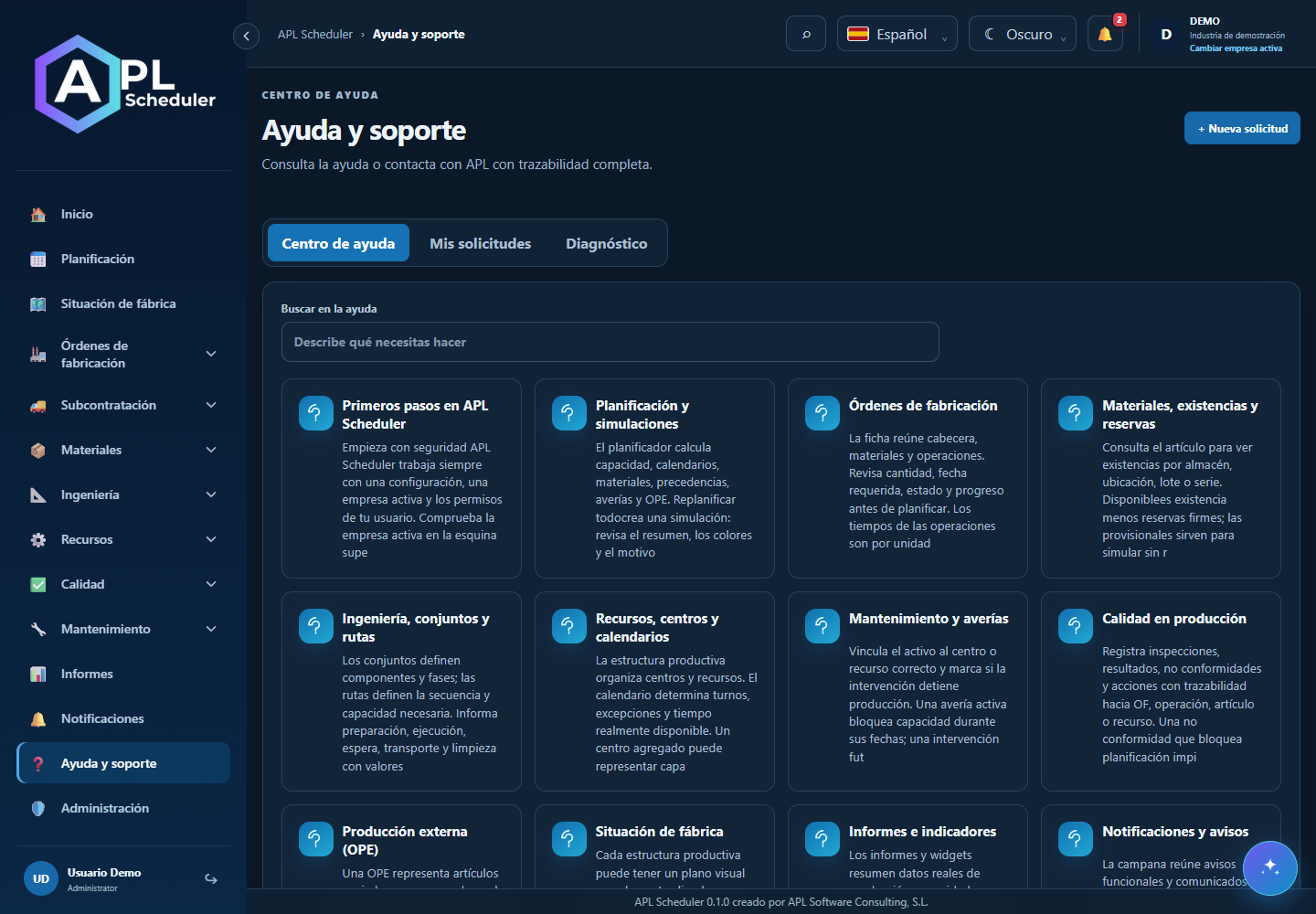
- 1Search help first. If needed, open My requests and create a ticket with a descriptive subject, category and priority matching the impact.
- 2Explain your goal, reproduction steps, expected and actual result. Include relevant order codes and dates without passwords or unnecessary personal data.
- 3Attach supported files and safe diagnostics with consent. Diagnostics should not include passwords or form values. Review screenshots before sending.
- 4Follow replies in the ticket conversation. Replies generate alerts; external channels depend on preferences. Reopen with details if the problem persists.
Visual walkthrough
 Download video
- 0:00 · Type “planificación” in help search.
- 0:06 · The library filters articles on the same screen.
- 0:12 · Open an article to read instructions before filing a request.
Before you finish
The request has a number and conversation; retain it for replies and avoid duplicate tickets for the same issue.
Common questions
An option is missing or I cannot edit
Check active company, licence, permissions and integration-managed fields. Do not use a direct URL to bypass restrictions.
I cannot find records
Clear filters and check page, dates and company. There may be no accessible data; do not create duplicates to test.
I saved but cannot see the expected effect
Reopen the record and verify. Saving data does not publish a required simulation. Check whether the first write succeeded before repeating it.