
Resources, work centres and calendars
What you will learn
Represent real capacity and working time.
Worked example
Two shifts, 06:00–14:00 and 14:00–22:00, leave the night closed. Add a holiday closure exception and check the time zone.
From data to result
- 1Structure
- 2Work centre
- 3Resource
- 4Calendar
The production structure organises work centres and resources. Calendars define shifts, exceptions and truly available time. An aggregate centre can represent pooled capacity; an individual resource identifies a specific machine or workstation. Use real values for capacity, parallel units and efficiency, and add alternatives only where the operation is technically feasible.
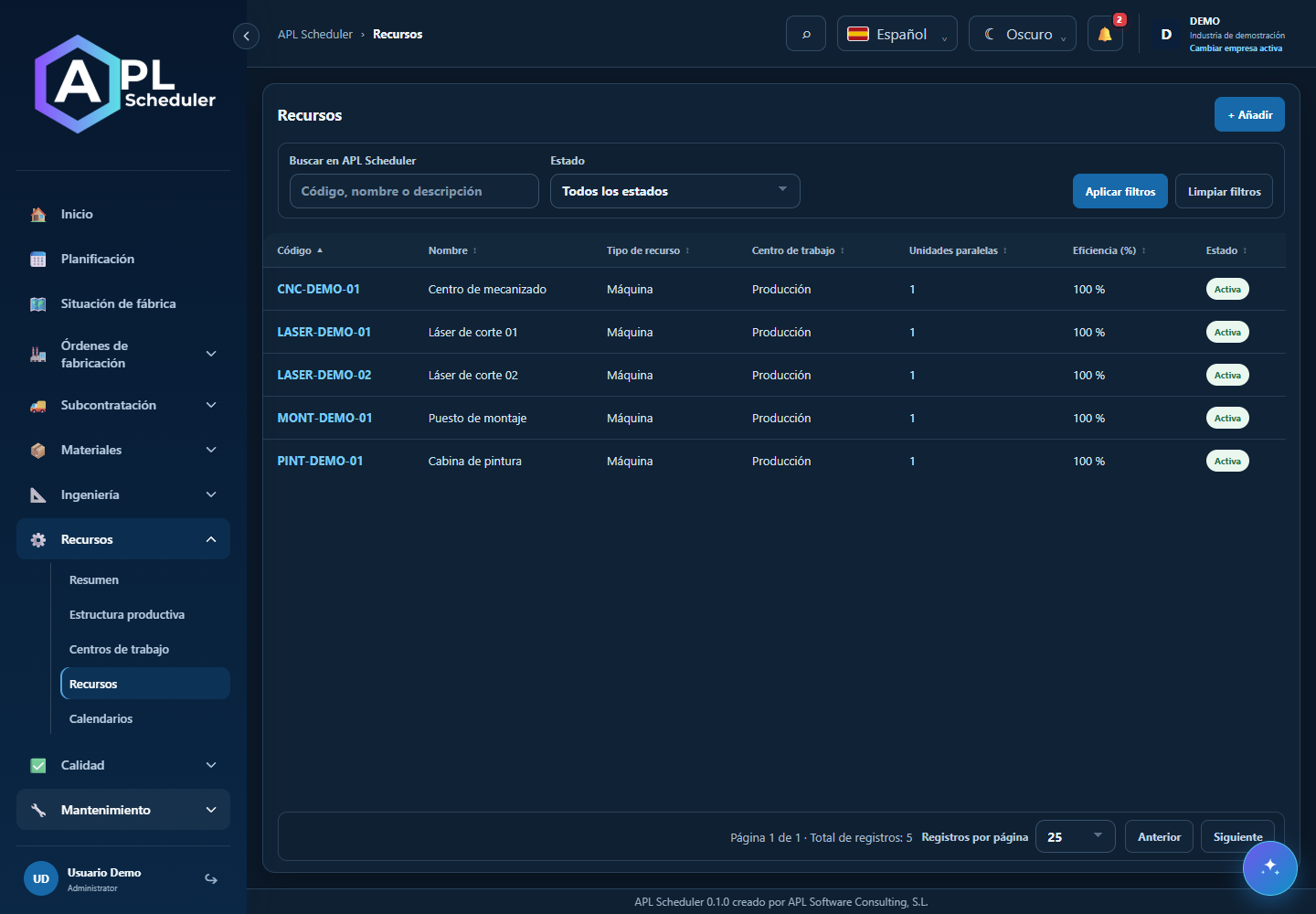
- 1Define the production structure and work centres, then link resources. Check finite capacity and the number of simultaneous units.
- 2Assign calendar, time zone, shifts and exceptions. For 6–14 and 14–22 shifts, configure both intervals and applicable days. Exceptions may close a day with a weekly shift.
- 3Check efficiency, alternatives and additional routing capacities. Simultaneous units do not make a single machine faster.
- 4After changing calendars or capacity, inspect the simulation and protected work. Use centre-level app controls rather than technical internal resources.
Visual walkthrough
 Download video
- 0:00 · Open Calendars under Resources.
- 0:06 · Select the DOS-TURNOS calendar.
- 0:12 · Check 06:00–14:00 and 14:00–22:00 intervals. No changes saved.
Before you finish
Work centre and resource calendars and capacity agree. One machine cannot run two jobs unless it has genuine parallel capacity.
Common questions
An option is missing or I cannot edit
Check active company, licence, permissions and integration-managed fields. Do not use a direct URL to bypass restrictions.
I cannot find records
Clear filters and check page, dates and company. There may be no accessible data; do not create duplicates to test.
I saved but cannot see the expected effect
Reopen the record and verify. Saving data does not publish a required simulation. Check whether the first write succeeded before repeating it.