
Production and maintenance time tracking
What you will learn
Record time, production, defects and materials with company-specific traceability.
Worked example
Two operators work on an operation; the later arrival only accumulates their actual participation interval.
From data to result
- 1Identify
- 2Record
- 3Finish
- 4Post
Prepare
Create labor categories, operators and pause, incident and defect reasons. Operators do not need a separate user licence: the signed-in user's permissions apply. Identify an operator by code, PIN or revocable card; print cards from Operators.
Record work
Identify the principal in Terminal and select a production order/operation or maintenance order, resource and weight. Secondary operators may join, leave and rejoin with separate intervals. Use Pause/Resume and Incident/End incident. Finish collects time type, good quantity and defects; it closes the work record, never the order.
Inventory
Consumption can be manual or automatic at Finish or posting. Insufficient stock leaves an explicit pending issue without partial consumption. Open work records from the production or maintenance order to resolve it. Only the last operation receives finished product: provide warehouse, location, lot, serials and expiry when required. Externally governed stock cannot be changed manually.
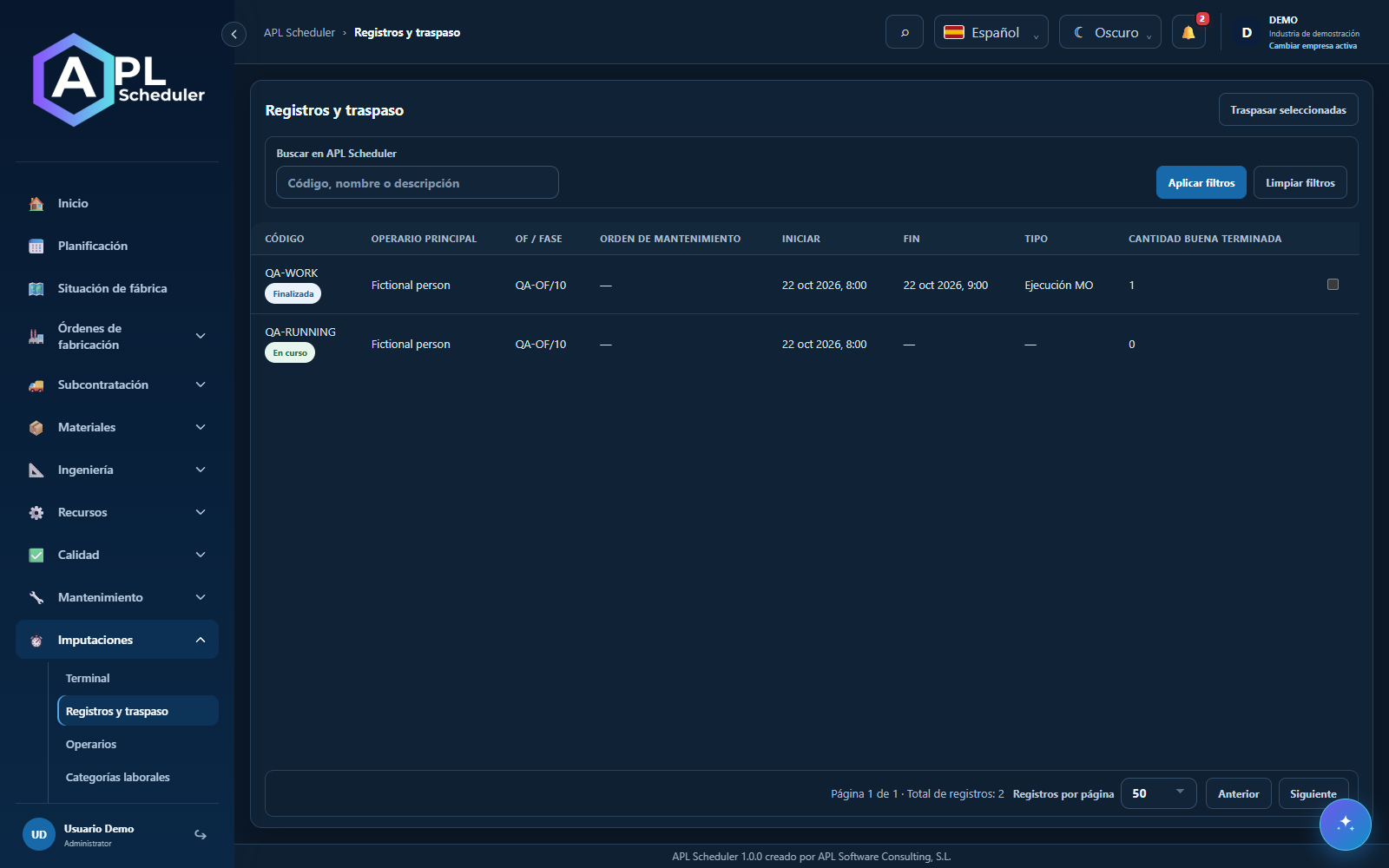
Post and correct
Post the complete group of overlapping work records. Reports separate labor, machine time, incidents and costs; missing rates are not invented. The correction permission allows an atomic correction with a retained reversed original and linked replacement. Reversal compensates stock and quantities, but is blocked when product is already consumed or reserved. History is retained and the published plan is not moved automatically.
Reasons shared with Maintenance
Enable «Also use in Maintenance» on an incident reason to reuse the same record under Maintenance → Failure reasons. Creating or editing there also changes Time tracking. Maintenance orders can reference it without replacing failure, cause or resolution notes. Deactivation preserves history and prevents new assignments; it does not automatically create an order or stop.
- 1Configure operators, reasons and rates with the appropriate permissions; check the active company.
- 2Identify the principal, start production or maintenance work and record participants and interruptions.
- 3Finish with quantities and traceability; review pending consumption and final-operation receipts.
- 4Post complete groups, review reports and correct only with a reason and the dedicated permission.
Before you finish
Finished work retains its events, quantities, participants and material processing status.
Common questions
An option is missing or I cannot edit
Check active company, licence, permissions and integration-managed fields. Do not use a direct URL to bypass restrictions.
I cannot find records
Clear filters and check page, dates and company. There may be no accessible data; do not create duplicates to test.
I saved but cannot see the expected effect
Reopen the record and verify. Saving data does not publish a required simulation. Check whether the first write succeeded before repeating it.